What Beluga is (and is not)
Beluga is open-source software for running your own ecommerce site. It is a React 19 storefront and admin, an Express 5 API, a SQLite or Postgres database, and Stripe Checkout for payment. You clone it, run it, and deploy it on a server you control.
The reader of these docs is a developer who wants a custom store. Beluga will always require development skills to run. The admin covers the day-to-day, but the landing page is a React component and the storefront is yours to fork.
What it looks like
Section titled “What it looks like”Every shot below is Whale Hello There, a small store built through the admin API
and captured from a real build by npm run screenshots. Nothing is mocked up, and
nothing is retouched.
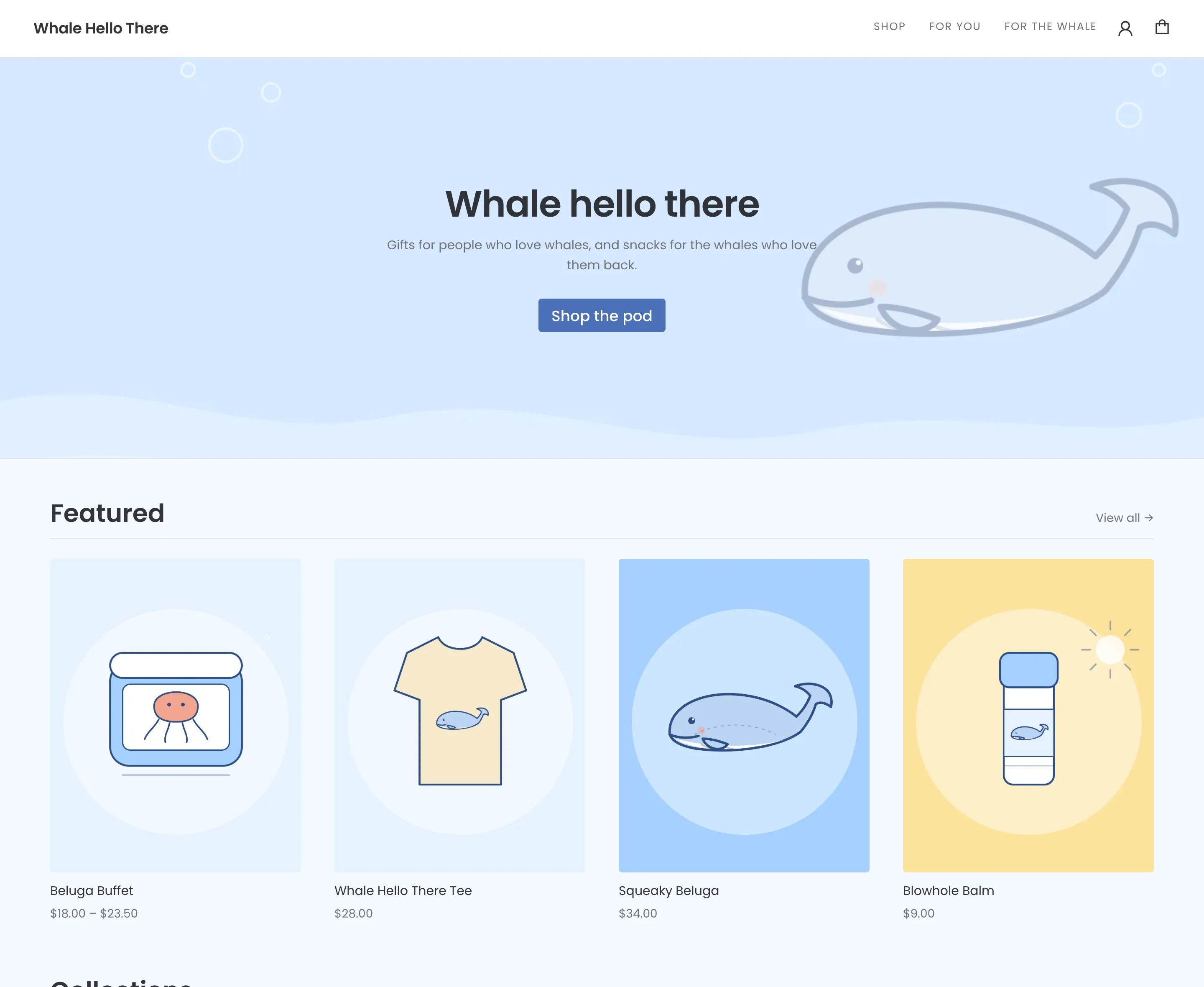 The storefront. The hero is set in Settings and falls back to the store name until it is; the price range under Beluga Buffet is a product with a priced axis.
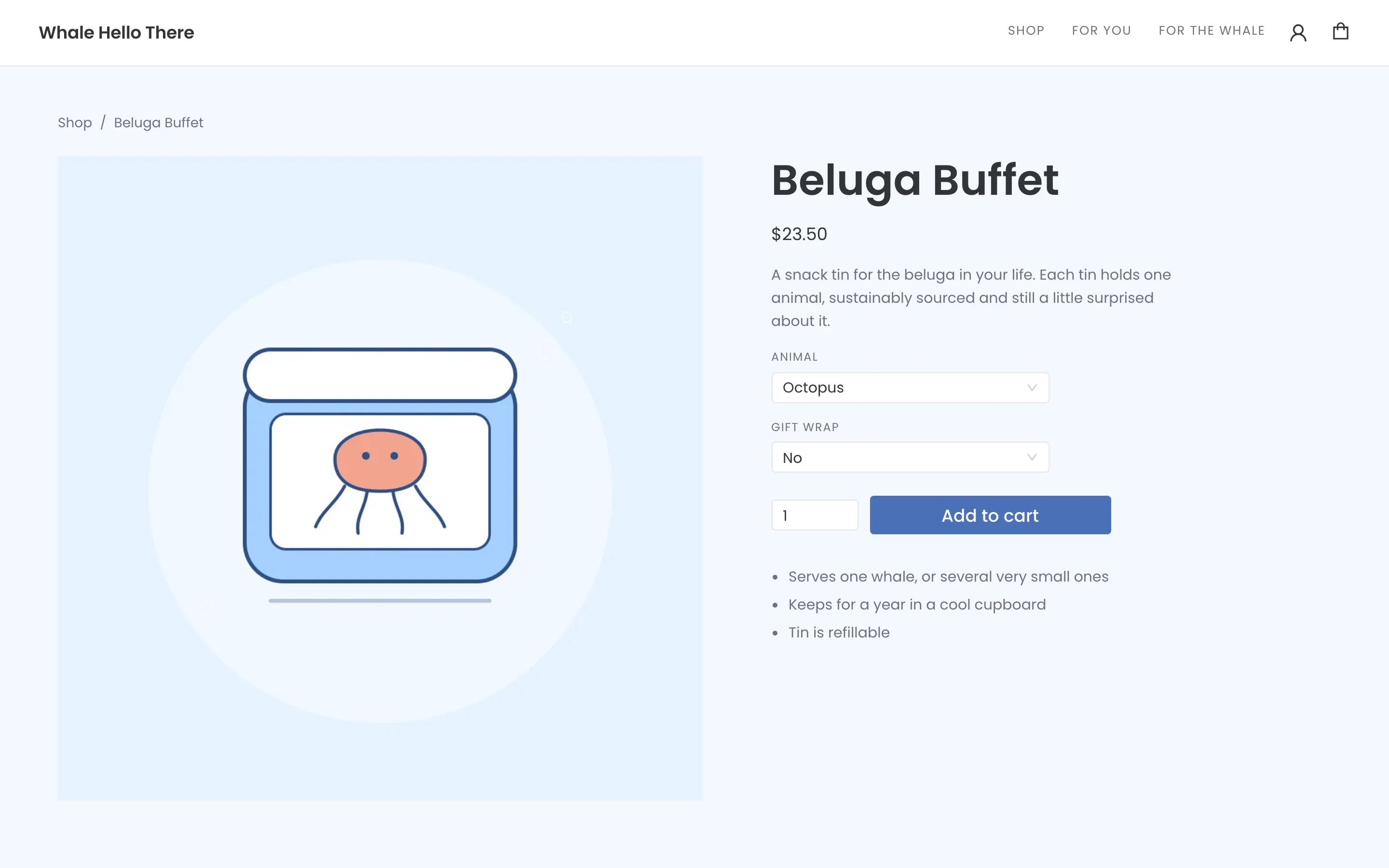 A product page. Animal is a priced axis with a picture pinned to each choice; Gift wrap is an option group, which changes neither price nor stock.
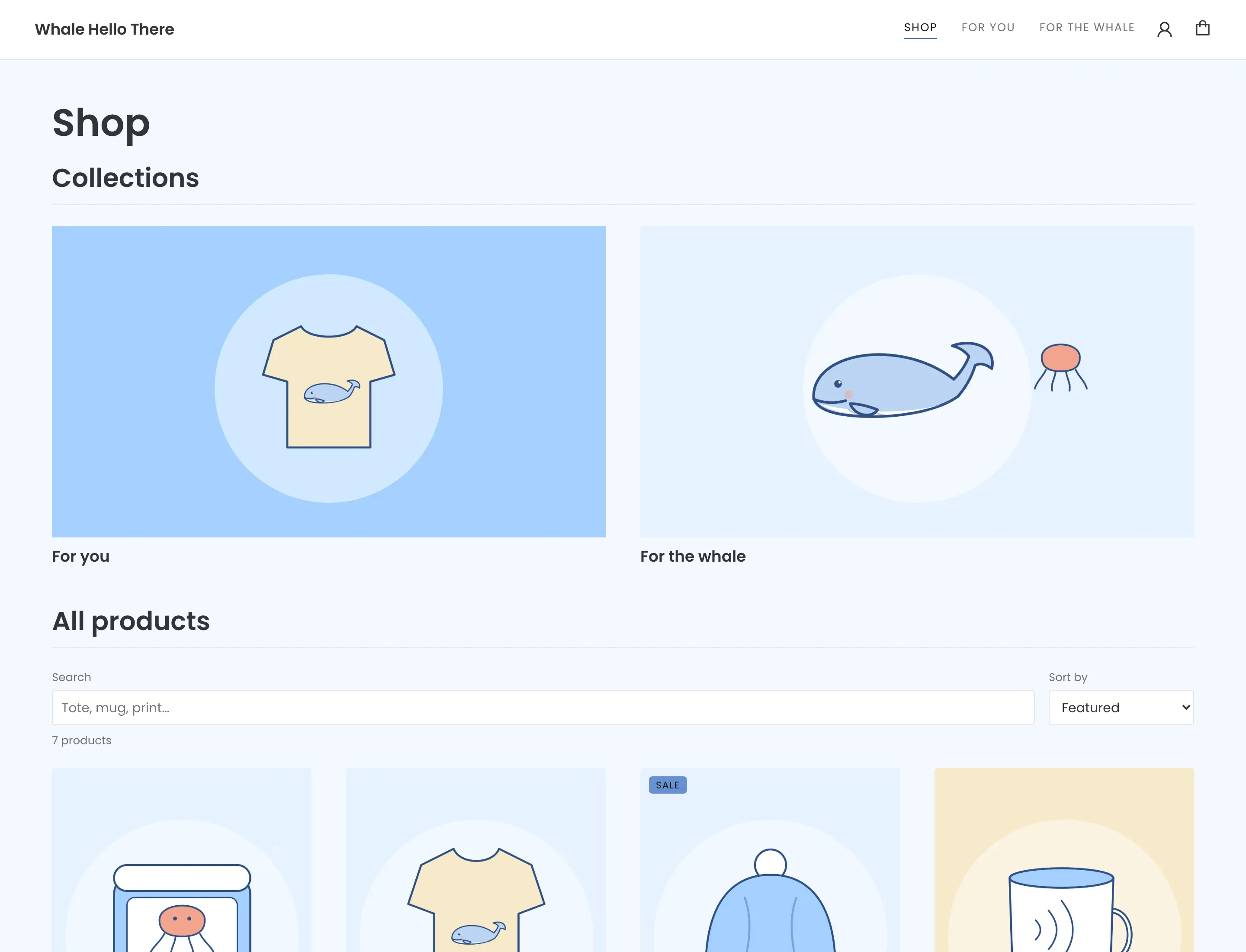 The catalogue, with collections, search and sorting.
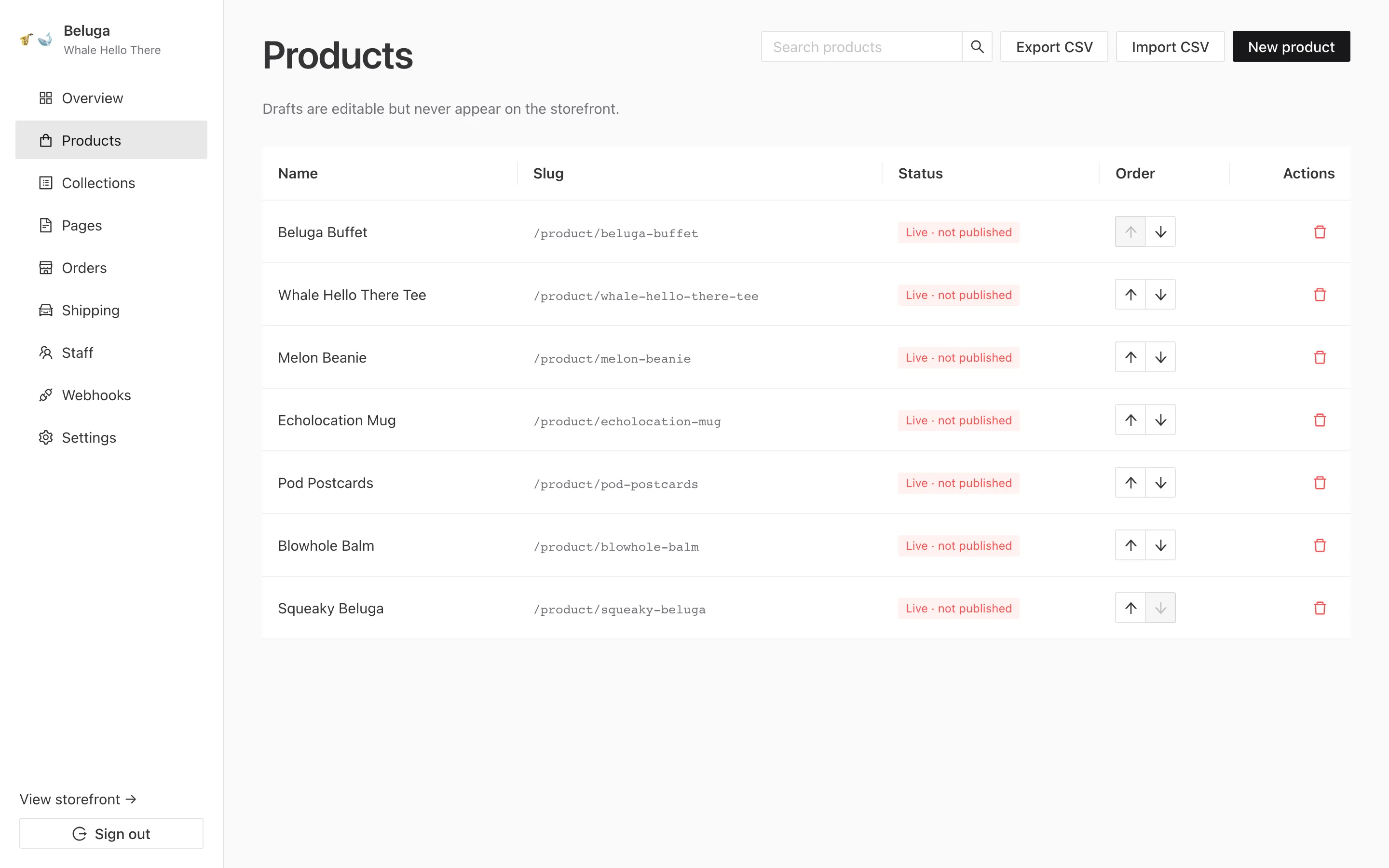 The product list. “Live · not published” is two facts, not one: the product is on the storefront, and Stripe has never been told about it.
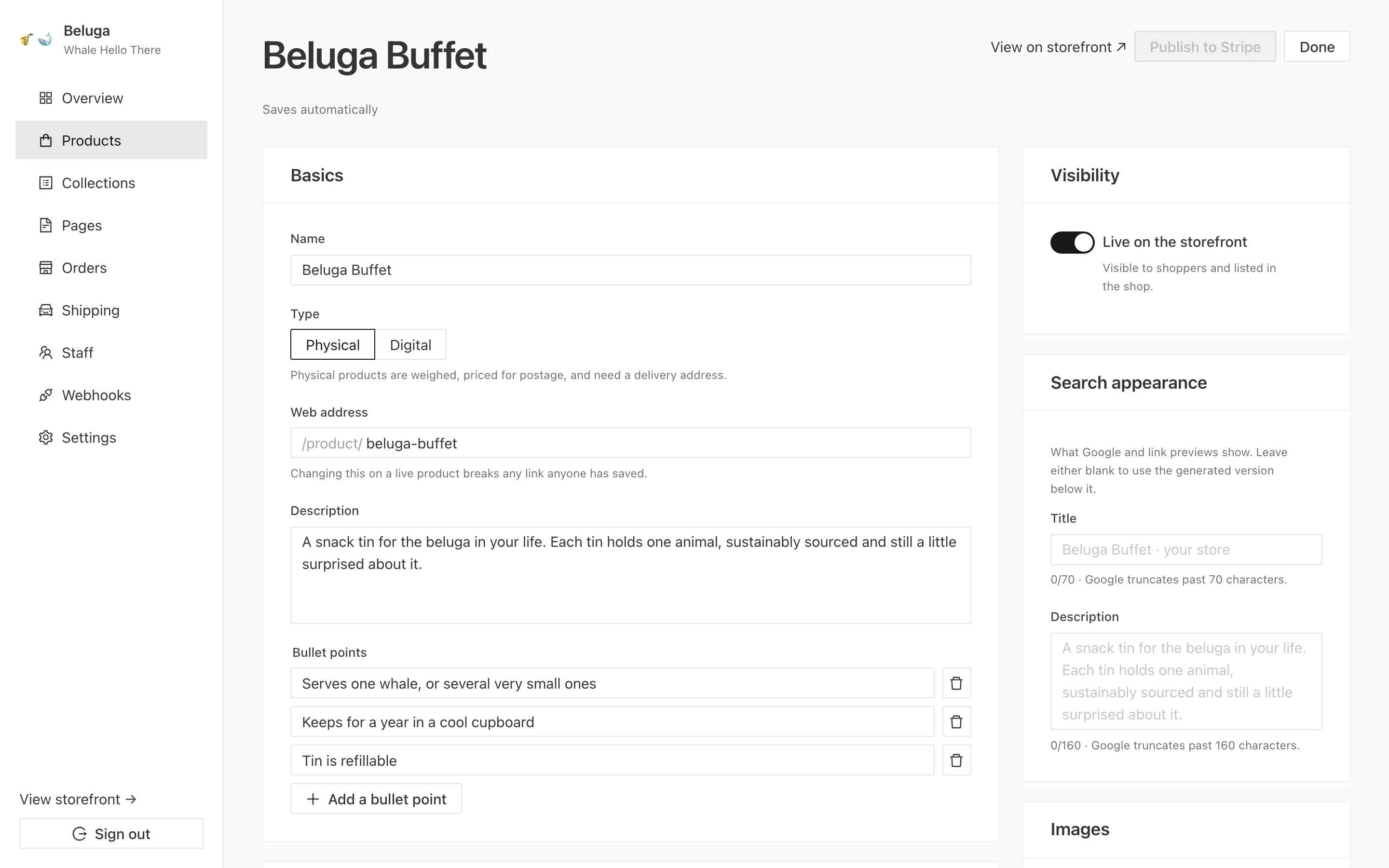 The product editor. It saves automatically to your database — and nothing reaches Stripe until Publish is pressed, which is the invariant most worth knowing.
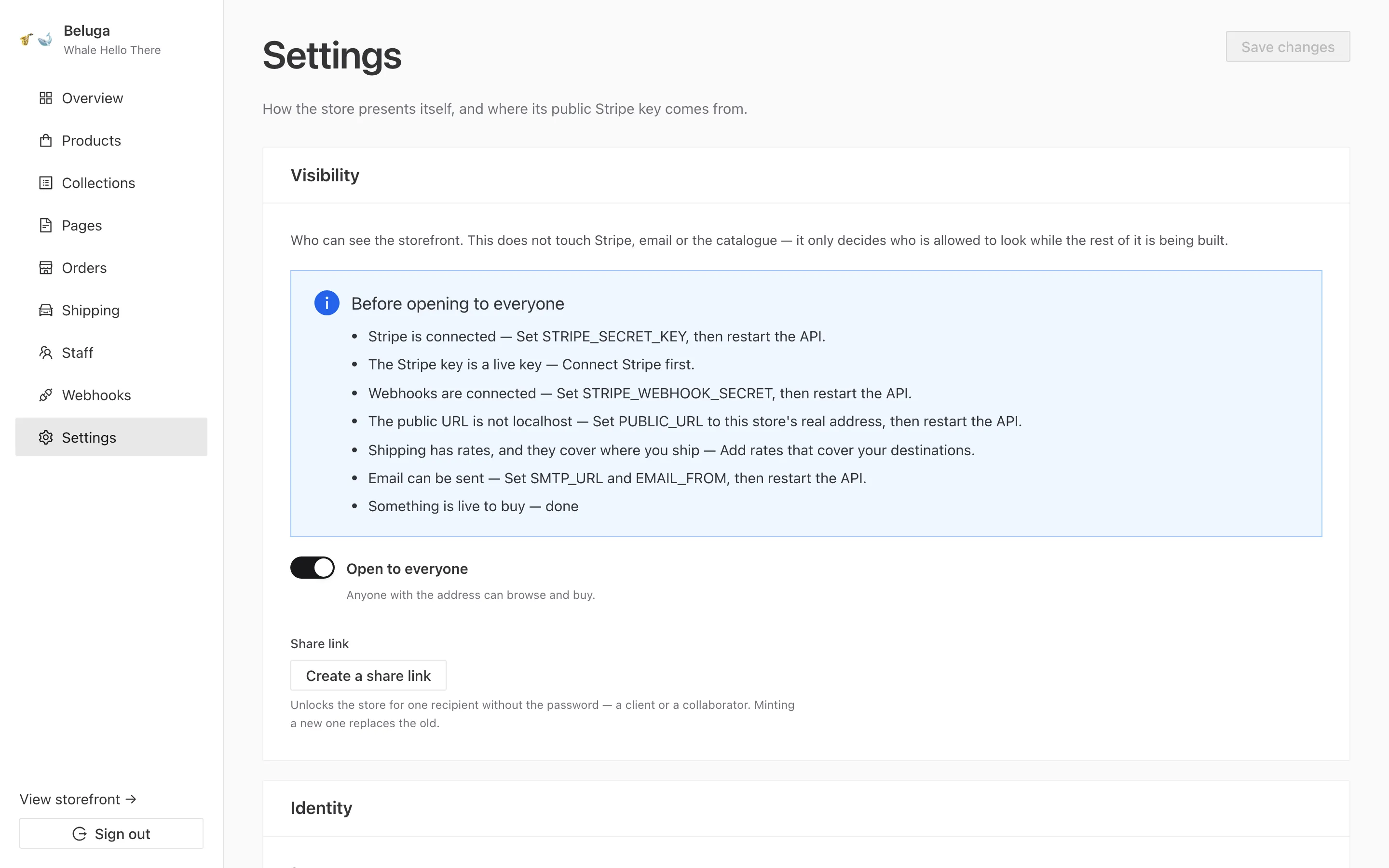 Settings. The publishable key is editable here; the secret key lives only in the server’s environment and never in a browser.
What it does
Section titled “What it does”- A catalogue. Products with up to three priced axes (size × colour × material), per-variant stock, weights, SKUs, compare-at prices and images. Collections with Markdown introductions. Prose pages. CSV import and export.
- A cart and checkout on Stripe’s hosted page. Card fields, 3-D Secure, wallets and address collection are Stripe’s, which keeps a Beluga store at PCI SAQ-A.
- Orders, recorded in your database when Stripe’s webhook confirms payment, with fulfilment status, tracking, refunds, restocking and a CSV export.
- Shipping as zones and rates bounded by weight and subtotal. “Free over $50” and “heavy parcels cost more” are both one rate each.
- Tax through Stripe Tax, when you turn it on.
- Discount codes through Stripe’s promotion codes.
- Email for orders, shipping, refunds, password resets and abandoned carts, over any SMTP provider.
- Accounts: staff invitations, customer logins with order history and an address book, and abandoned-cart reminders.
- Outbound webhooks, signed, retried, and delivered to whatever you run. This is the feature that stands in for an app ecosystem.
- A theme editor for palette, radius, logo and web font, and a preview mode that puts a password on a store that is deployed but not open.
What it is not
Section titled “What it is not”- There is no hosted Beluga. You deploy it, always. That is the step between forking it and having a store, which is why Deploying comes before everything else in these docs.
- Not a marketplace, and no app store. One store per install, and integrations happen over webhooks, not plugins running inside the process.
- No live carrier rates, labels or tracking. Those need Stripe’s
elementscheckout mode, which means owning the checkout page again. Shipping explains the trade and the alternatives. - Digital delivery is not built. A product can be marked digital and sold, but handing the buyer a file is currently your job. See Digital products.
- Not a serverless app. It is one long-lived Node process with a filesystem, so Vercel, Netlify and Heroku are the wrong shape for it.
How the docs are organised
Section titled “How the docs are organised”Every page answers three questions: what is the model, what is the API, and what may I change. The how-to is compressed to the shortest correct version, because you can ask an assistant how to add an Express route. What no assistant can know are Beluga’s local rules: money never comes from the request, only the webhook marks an order paid, publishing is the only thing that writes to Stripe. Those are on the invariants page, and they are the reason most of the rest exists.
If you are working with an AI assistant, the whole site is also one Markdown file at
/docs/all.md. See For AI assistants.